
If you’re asking, “Why is my website not ranking on Google?”, you’re not alone.
You may have a website that is live, your pages are ready, and you have already started working on SEO. Still, your website may not appear where you expect it to when you search Google for your target keywords.
This situation can be frustrating. You have spent time building your website and creating content, but Google still does not seem to give your pages enough visibility.
The good news is that a low Google ranking does not always point to one major problem. Several factors can affect how Google discovers, understands, and ranks a page.
For example, Google may not have indexed your page yet. Your content may also target the wrong search intent. Other issues can involve on-page SEO, technical SEO, internal links, mobile experience, or content quality.
You do not have to guess which problem affects your website.
In this guide, we’ll cover 10 common reasons why a website may not rank on Google. We’ll also explain how to check each issue and what you can do to improve it.
Whether you run a new business website, a local business website, or an established site that has lost organic traffic, this guide will help you check the important areas step by step.

Why Is My Website Not Ranking on Google?
Before looking at individual SEO problems, it helps to understand one important difference: Google indexing a page and ranking it well are not the same thing.
When Google indexes a page, it stores and understands that page in its search index. This means the page can potentially appear in search results.
Ranking is different. Google decides where a page should appear based on many factors, including how useful the content is for the search, how well the page matches the user’s intent, and how easily Google can understand the page.
So, if your website is not appearing for an important keyword, the first question is not always, “Why am I ranking low?”
A better question is, “Is Google able to find, crawl, and index my page?”
Once you know the answer, you can narrow down the actual reason and work on the right solution.
1. Your Website or Page Is Not Indexed by Google
One of the first things to check is whether Google has actually indexed the page you want to rank.
Indexing means that Google has discovered a page, processed its content, and stored it in its search index.
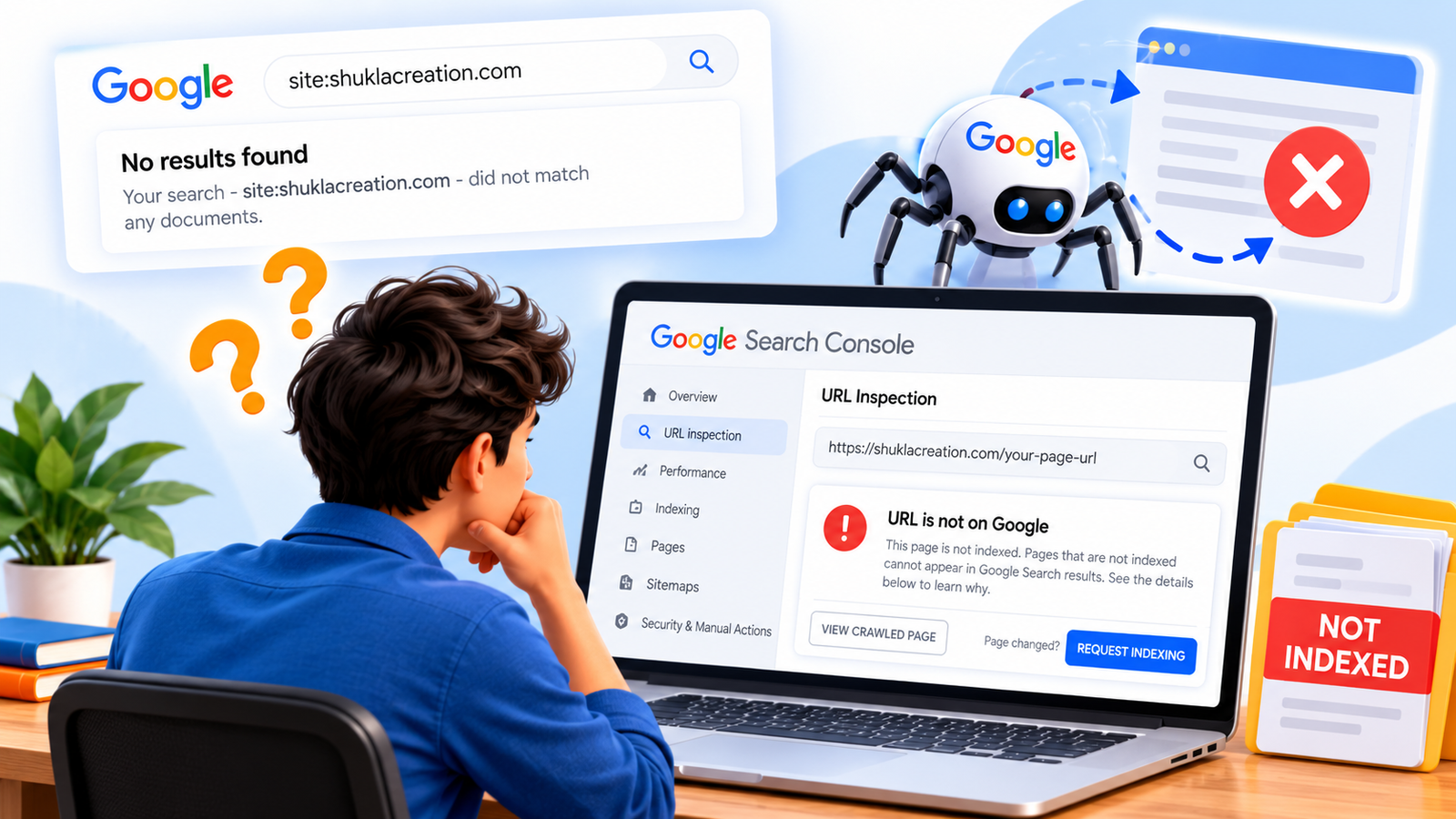
If Google has not indexed a page, it generally cannot appear in Google’s organic search results.
This issue is especially common with new websites and recently published pages. Google may need time to discover new URLs, but technical issues can also prevent Google from indexing a page.
For example, a page may have a noindex directive, Google may not be able to access the page properly, or the page may not have been discovered yet.
If you are wondering, “why is your website not ranking on Google?”, checking whether the page is indexed should be one of the first steps.
How to Check
The easiest way to investigate indexing is through Google Search Console.
Open Search Console and use the URL Inspection tool. Enter the exact URL of the page you want to check. Google will show information about whether the URL is available in its index and whether there are indexing issues that need attention.
If Google has not indexed the page, do not immediately assume that you need to rewrite the entire page.First, identify why Google has not indexed it.
Once you fix the indexing issue, you can move on to other ranking factors such as search intent, content quality, on-page SEO, and technical performance
2. Your Content Does Not Match Search Intent
Even when Google can find and index your page, it may not rank well if the content does not match what people actually want to find.
When you are asking why is your website not ranking on Google, make sure the content matches what people actually want to find.
Search intent is the reason behind a person’s search. Someone searching for “what is SEO?” may want a simple explanation, while someone searching for “SEO services in Kota” may be looking for a service provider.
If your page targets the right keyword but answers a different question, Google may choose other pages that better satisfy the search.
How to Check
Search your target keyword on Google and look at the types of pages that appear near the top. Are they guides, service pages, product pages, comparison articles, or something else?
Compare those results with your own page. If the format and purpose are very different, your content may need to better match the search intent.
How to Fix It
Start by understanding what your target audience expects from that search. Then make sure your page answers the main question clearly and provides useful information without adding unnecessary content.
Do not change your content simply because another page uses a different format. Focus on making your page genuinely useful for the people you want to reach.
3. Your Page Targets a Keyword That Is Too Broad
Sometimes the problem is not your website or your content. The keyword you are trying to rank for may simply be too broad or highly competitive.
If you are wondering, “Why is your website not ranking on Google?”, the keyword itself may be too broad.
For example, a small local business may struggle to compete for a broad search such as “digital marketing.” A more specific search such as digital marketing agency in Kota can better match the business, location, and needs of the person searching.
Broad keywords often attract a large number of websites. Many of those websites may already have strong authority, useful content, and relevant links pointing to their pages.
How to Check
Look at the keywords you are currently targeting. Ask yourself whether they are specific enough for your business, location, products, or services.
You can also use Google Search Console and keyword research tools to understand which queries already bring impressions and clicks to your website.
How to Fix It
Focus on specific keywords that closely match what your audience wants. Long-tail keywords can help you reach people with a clearer search intent.
For a local business, location-based keywords can also make your targeting more specific. Instead of trying to rank for a very broad term, build content around relevant searches that your potential customers are more likely to use.
The goal is not to target the biggest keyword. The goal is to target keywords that are relevant, specific, and useful for your business.
4. Your Content Is Not Helpful Enough
Sometimes a website has plenty of words but still does not give visitors the answer they need.
If you are trying to understand why is your website not ranking on Google, useful content should answer the visitor’s actual questions.
Google’s systems are designed to surface helpful and reliable information. That means adding more words alone is not enough. Your content should explain the topic clearly, answer the main question, and give readers something useful they can act on.
For example, if someone searches for why a website is not ranking on Google, they probably want more than a general definition of SEO. They may want to know what is wrong, how to check it, and what they should fix first.
How to Check If Your Content Is Helpful
Read the page from a visitor’s point of view. Ask whether the page answers the main question clearly or leaves the reader with more questions.
Check whether your content includes practical information, useful examples, clear explanations, and relevant details. Remove sections that only repeat the same idea without adding value.
How to Fix It
Start with the main problem your audience wants to solve. Then explain the issue in simple language and give practical steps that the reader can follow.
Use examples where they make the explanation easier to understand. If a topic needs more detail, explain it properly instead of adding unnecessary sentences just to make the article longer.
Your goal should be to create a page that is useful even when someone visits it directly, without relying only on search traffic.
5. Your Page Has Weak On-Page SEO
Sometimes a page has useful information, but Google may still have difficulty understanding what the page is about. This can happen when important on-page SEO elements are missing or unclear.
On-page SEO helps search engines understand the topic, purpose, and structure of your page. Important elements include the page title, headings, URL, introduction, relevant keywords, and descriptive image alt text.
You do not need to repeat the same keyword again and again. Instead, use your main topic naturally and make sure the page clearly explains what visitors can expect to find.
How to Check
Review the page title and check whether it clearly describes the main topic. Look at the H1 and other headings to see whether they follow a logical structure.
Also check the URL, introduction, and important sections of the page. Make sure they are relevant to the main topic and written for people first.
How to Fix It
Write a clear and descriptive page title that matches the topic of the page. Use one clear H1 and organize the main sections with relevant H2 and H3 headings.
Use your primary keyword naturally where it makes sense, along with related terms that help explain the topic. Avoid adding keywords where they make the content sound unnatural.
Good on-page SEO should make your page easier for both visitors and search engines to understand.
6. Your Website Has Technical SEO Issues
Technical SEO problems can make it harder for Google to crawl, understand, or access your website. Even useful content may struggle to perform when important technical issues are affecting the site.
If you are trying to understand why is your website not ranking on Google, technical SEO issues are worth checking before making major changes.
Common technical problems can include broken links, poor mobile usability, slow-loading pages, incorrect redirects, duplicate pages, or issues that prevent search engines from accessing important URLs.
These problems are not always visible when you simply open a website in your browser. A page may look normal to you while still having technical issues that affect how search engines process it.
How to Check
Start by checking your website in Google Search Console. Look for indexing, crawling, mobile usability, and page-related issues that Google has reported.
You should also check important pages manually. Make sure they load correctly, work well on mobile devices, and do not lead visitors to broken or incorrect URLs.
How to Fix It
Fix technical problems based on their impact on your important pages. Correct broken links, improve mobile usability, review redirects, and make sure important pages can be accessed by search engines.
If you find a technical issue that you do not understand, investigate it before making major changes to your website. A careful technical SEO check can help you avoid creating new problems while trying to fix an existing one.
Technical SEO does not replace useful content, but it helps create a website that search engines can access and understand properly.
7. Your Website Has Few Relevant Internal Links
Internal links connect one page of your website to another page on the same website. They help visitors discover related information and can also help search engines understand how different pages on your site are connected.
If an important page has very few internal links pointing to it, search engines may have fewer signals about its importance and relationship to other pages on your website.
For example, a blog post about SEO can naturally link to a related page about SEO services, keyword research, or another useful article. The link should help the reader find more information rather than being added only for SEO.
How to Check
Review your important pages and blog posts. Look for opportunities where one page can naturally refer readers to another relevant page on your website.
Pay particular attention to pages that are important for your business but receive very few internal links from other pages.
How to Fix It
Add relevant internal links where they genuinely help the reader. Use descriptive anchor text so visitors can understand what they will find after clicking the link.
Connect related blog posts, service pages, and important website pages in a natural way. Avoid adding too many links or using the same anchor text repeatedly when it does not fit the context.
A well-connected website makes it easier for visitors to explore your content and helps search engines understand the structure and relationships between your pages.
8. Your Website Does Not Have Enough Relevant Content
Sometimes a website has only a few pages covering an important topic. When there is not enough useful content around a subject, it can be harder to build clear topical relevance and provide visitors with complete information.
This does not mean that you need to publish a large number of articles just to increase the word count. Every page should have a clear purpose and provide information that is genuinely useful to your audience.
For example, a business that offers SEO services may need clear service information, helpful supporting articles, and answers to common questions that potential customers may have.
How to Check
Review the main topics and services you want your website to be known for. Check whether your website has useful pages that explain those topics clearly and answer the questions your audience is likely to ask.
Look for important topics that are missing or only covered briefly. Also check whether existing pages provide enough useful information without repeating the same content across multiple URLs.
How to Fix It
Create useful content around the topics that are most relevant to your audience and business. You can publish detailed guides, answer common questions, or create supporting articles that provide additional value.
Focus on quality and relevance instead of publishing content simply to make your website larger. Each new page should have a clear purpose and should add something useful to the overall website.
A focused content strategy can help you build a website that provides deeper information about the topics that matter to your visitors.
9. Your Website Is Not Mobile-Friendly
A website may work well on a desktop computer but still provide a poor experience on mobile devices. Since many people use smartphones to search and browse the web, mobile usability is an important part of a healthy website.
If visitors have to zoom in, scroll sideways, wait for large elements to load, or struggle to click buttons and links, they may leave the page quickly. A poor mobile experience can also make it harder for people to use your website effectively.
Mobile-friendliness is not only about making a page look smaller. The content, navigation, buttons, images, and layout should work comfortably on different screen sizes.
How to Check
Open your important pages on a smartphone and check how they actually look and work. Read the content, open the menus, click the buttons, and make sure visitors can move through the page without unnecessary scrolling or zooming.
You can also use Google Search Console to review any mobile-related issues reported for your website.
How to Fix It
Make sure your website uses a responsive design that adapts to different screen sizes. Check headings, text size, images, buttons, forms, and navigation on mobile devices.
Remove unnecessary elements that make the page difficult to use on a small screen. Keep important information easy to find and make sure interactive elements are comfortable to tap.
A simple, responsive mobile experience can help visitors use your website more easily and reach the information they need.
10. Your Website Needs Stronger Authority and Trust Signals
Even when your website has useful content and good technical foundations, it may take time to build authority and trust. Search engines need to understand how your website fits into its topic and whether the information provided is reliable and useful.
If you are still asking why is your website not ranking on Google, trust and authority are also worth reviewing.
Trust can be supported by clear business information, accurate content, helpful resources, genuine experience, and references to relevant sources when they are appropriate. For a business website, clear contact details and information about the people or business behind the website can also help visitors understand who they are dealing with.
Authority is not something you create by adding a few keywords to a page. It develops over time through useful content, a clear website structure, relevant mentions, and a positive experience for visitors.
How to Check
Review your website from a new visitor’s point of view. Is it clear who operates the website, what the business does, and how visitors can contact you?
Check whether your important pages provide accurate information and whether your website demonstrates real knowledge of the topics you cover. Also review whether other relevant websites naturally mention or reference your content where appropriate.
How to Fix It
Make your business information clear and easy to find. Keep your contact information, service details, and important website pages accurate and up to date.
Create original, useful content based on your audience’s needs and your actual experience. When appropriate, support important information with trustworthy references and avoid making claims that you cannot support.
Building trust and authority takes time. Focus on creating a website that consistently provides useful information and gives visitors clear reasons to trust the business behind it.